Description
Find Zeitronix Black Box Data Logger for Zt-2 & Zt-3 for Multiple Fitments for Mitsubishi Evo applications at EvoMotorParts. This performance component helps support fitment-focused performance and dependable installation confidence while keeping your Evo build focused on quality, compatibility, and long-term performance.
Review the product details, fitment notes, and installation information below to confirm compatibility with your Mitsubishi Evo applications setup.
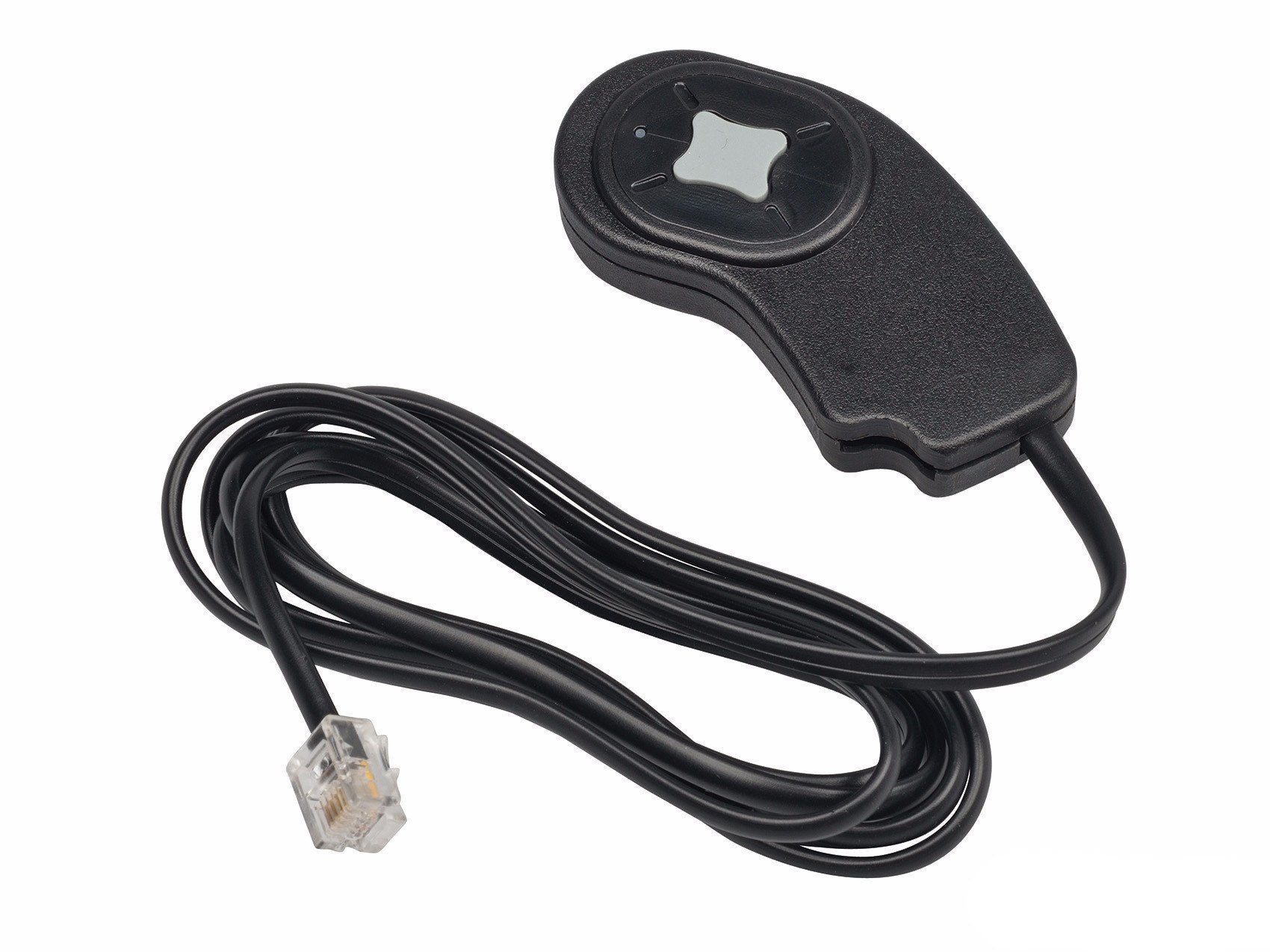
The Zeitronix Black Box Data Logger is a flash memory data logger for use with Zeitronix Zt-2 or Zt-3 Wideband systems. The logger accepts 1GB or 2GB Micro SD flash memory cards. Power and data are supplied through a single 5 ft (1.5m) cable plugging directly into the Zt-2 or Zt-3 DATA port.
Features
Large button for easy activation when wearing driving/racing/motorcycle/ATV gloves
LED activity indicator
Long 5 ft (1.5m) cable for accessing remote Zt-2 or Zt-3 Wideband controllers
Plug and play installation, no wiring required
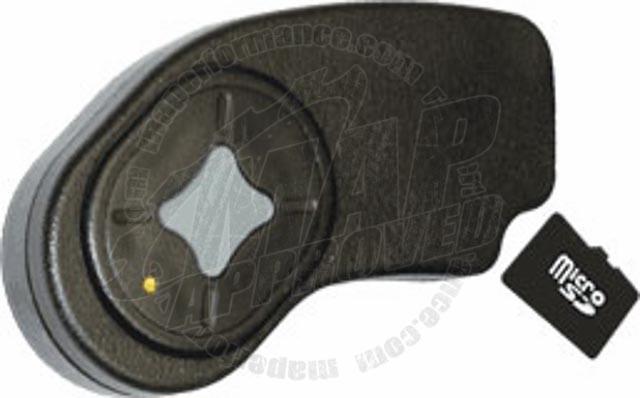
Supports 1 GB or 2 GB Micro SD cards for 100’s of hours of logging
Auto-saving keeps data in the event of a power loss
INSTALLATION
The Micro SD card must be formatted with a “œFAT” (FAT16) file system. Plug the Zeitronix Black Box Data Logger connector into the Zt-2 or Zt-3 DATA port. A data splitter may be used if connecting alongside one or more Zeitronix displays such as the ZR-2 Multi-Gauge, ZR-1 AFR/Lambda Gauge, or LCD screen. Micro SD cards are inserted into the Zeitronix Black Box Data Logger face up, as shown to the right. The Micro SD connector slot is spring loaded. Push to insert and the card will lock in. Push again to remove and card will spring outward. Inserting the Micro SD card upside down or backwards may result in connector damage.
OPERATION
Press the center of the button to start and stop logging sessions. The Zeitronix Black Box Data Logger will display a steady LED light when initially powered. Press the button one time to begin logging. The LED will flash quickly while logging data. Press the button again to end the log and the LED will become a steady light. The Micro SD card will now contain a file with the name “log001.sdl”. Pressing the button again will begin a new log with the name “log002.sdl”. Increasing values are used for each new log file name. A total of 255 logs can be created. Log file names will use the highest number available on the SD card until “log255.sdl” is reached. Logs will then be created using the lowest log file number available. If no file names are available the LED will blink two times to indicate an error.
Files can be accessed by removing the micro SD card from the Black Box Data Logger. A micro SD card reader can be used to copy files from the card. The files have fixed created and accessed dates, for best results you may wish to copy the logs into a folder (directory) with a date matching when the logs were generated. Files are viewed with the Zeitronix Data Logger program available at: http://www.zeitronix.com/zdl/ The Black Box Data Logger has no internal battery or parts which require maintenance. The Zeitronix Black Box Data Logger LED will repeat a single or double blink if an error has occurred, see the following table for details.
Warnings
For automotive use only. This product is not water proof. To be used with Zeitronix Zt-2 or Zt-3 Wideband AFR Meter only. Never place in a location, which obstructs the view. Never tune the car while driving. Tune responsibly. Zeitronix Inc. is not responsible for any damages.



Reviews
There are no reviews yet.